Start with the door check
Do not start by memorizing every security term. Start with a person standing at a secure door. They say, 'I am allowed in.' The system now has three questions: what proof did they show, is that proof real, and what are they allowed to do after it checks out?
That is the whole map. A credential is the proof you present. Authentication is the check. Authorization is the boundary around what you can access. The rest of the article keeps returning to that door-check story while the examples get stronger.
Passwords, passkeys, private keys, certificates, tokens, device identity, and attestation are not random vocabulary. They are different ways to answer one practical question: why should this system trust this person, device, or request right now?
A credential is proof behind a claim
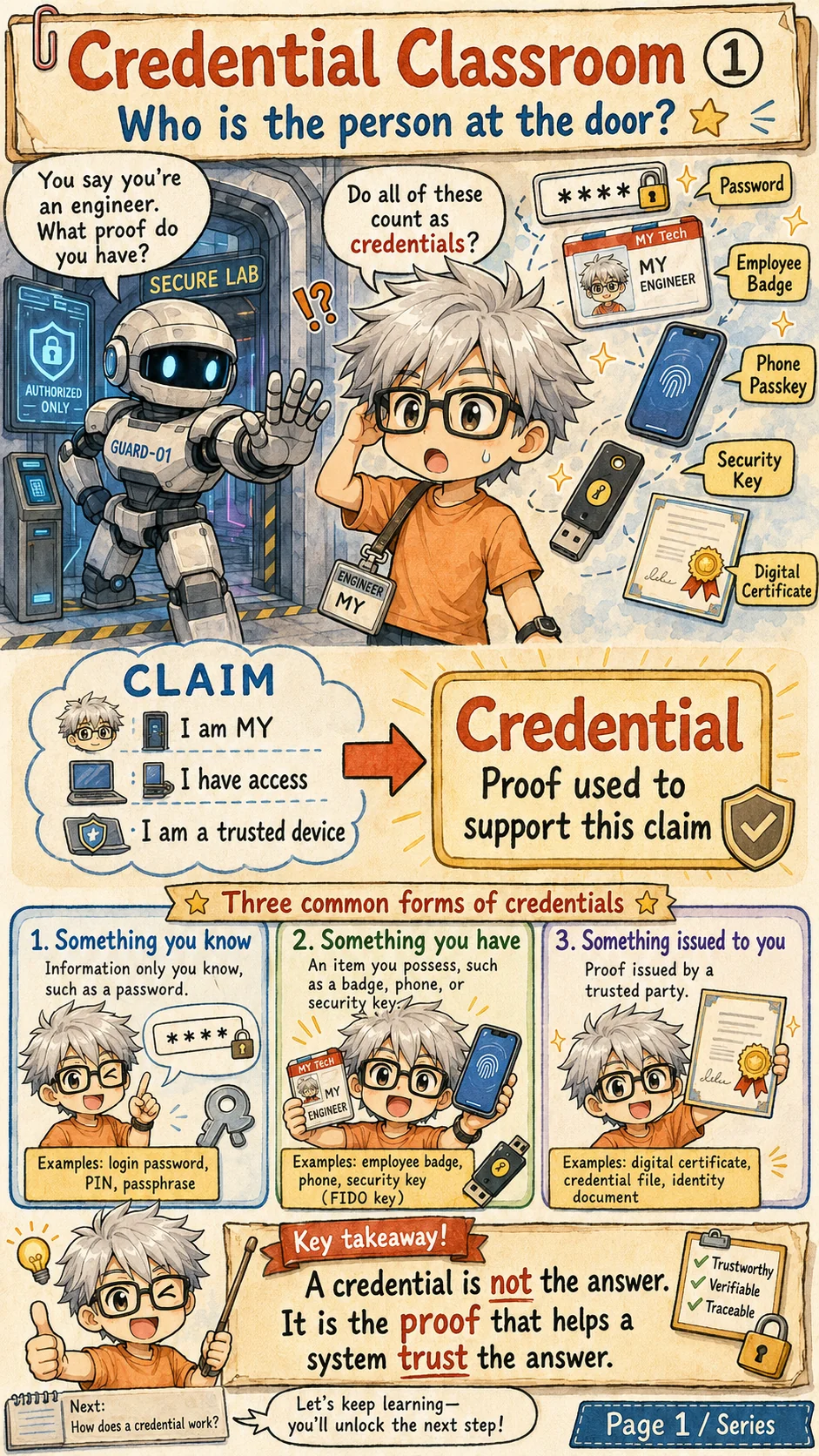
Picture a secure lab door. You say, 'I am MY,' or 'I should be allowed into this lab.' A good guard should not accept that statement by itself. The guard asks for proof.
That proof is the credential. It may be a password, employee badge, phone passkey, security key, digital certificate, identity file, or device credential inside a chip. The object changes, but the purpose stays the same: it supports a claim.
A credential is not the final answer. It is evidence the system can check. The system still has to decide whether the evidence is genuine, whether it belongs to the right person or device, and whether the requested access should be granted.
Credential, authentication, and authorization are three steps
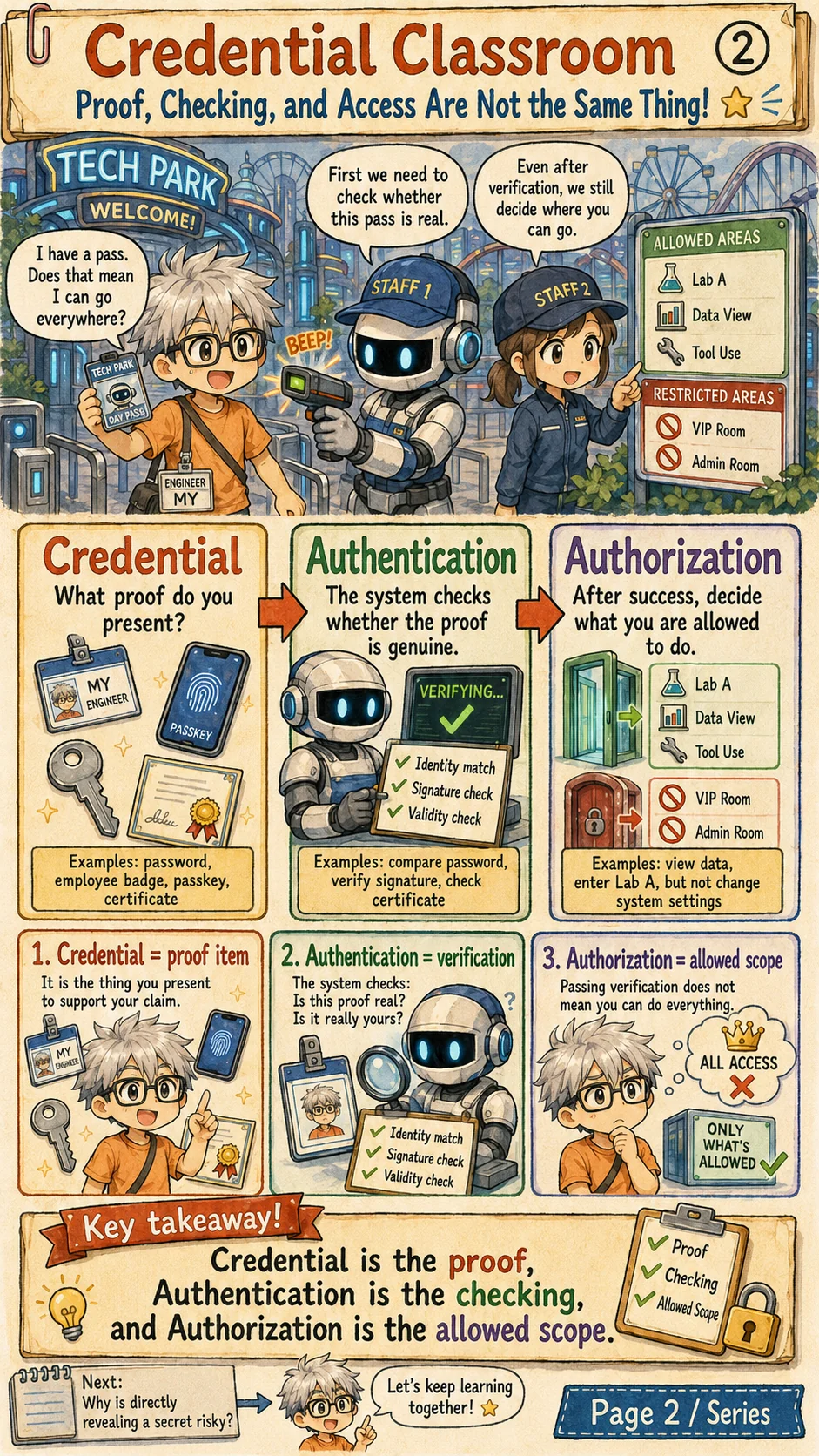
These three words are often mixed together, so the amusement-park gate is a useful picture. The ticket or pass is the credential. Scanning it is authentication. Deciding which areas you can enter is authorization.
Passing authentication does not mean 'all access.' A valid employee badge may let you enter Lab A, view data, or use a tool, but it should not automatically open the VIP room or the admin console.
Good systems keep the steps separate. First ask what proof was presented. Then check whether it is real. Only after that should the system decide the allowed scope.
Shared secrets are easy to use and easy to lose
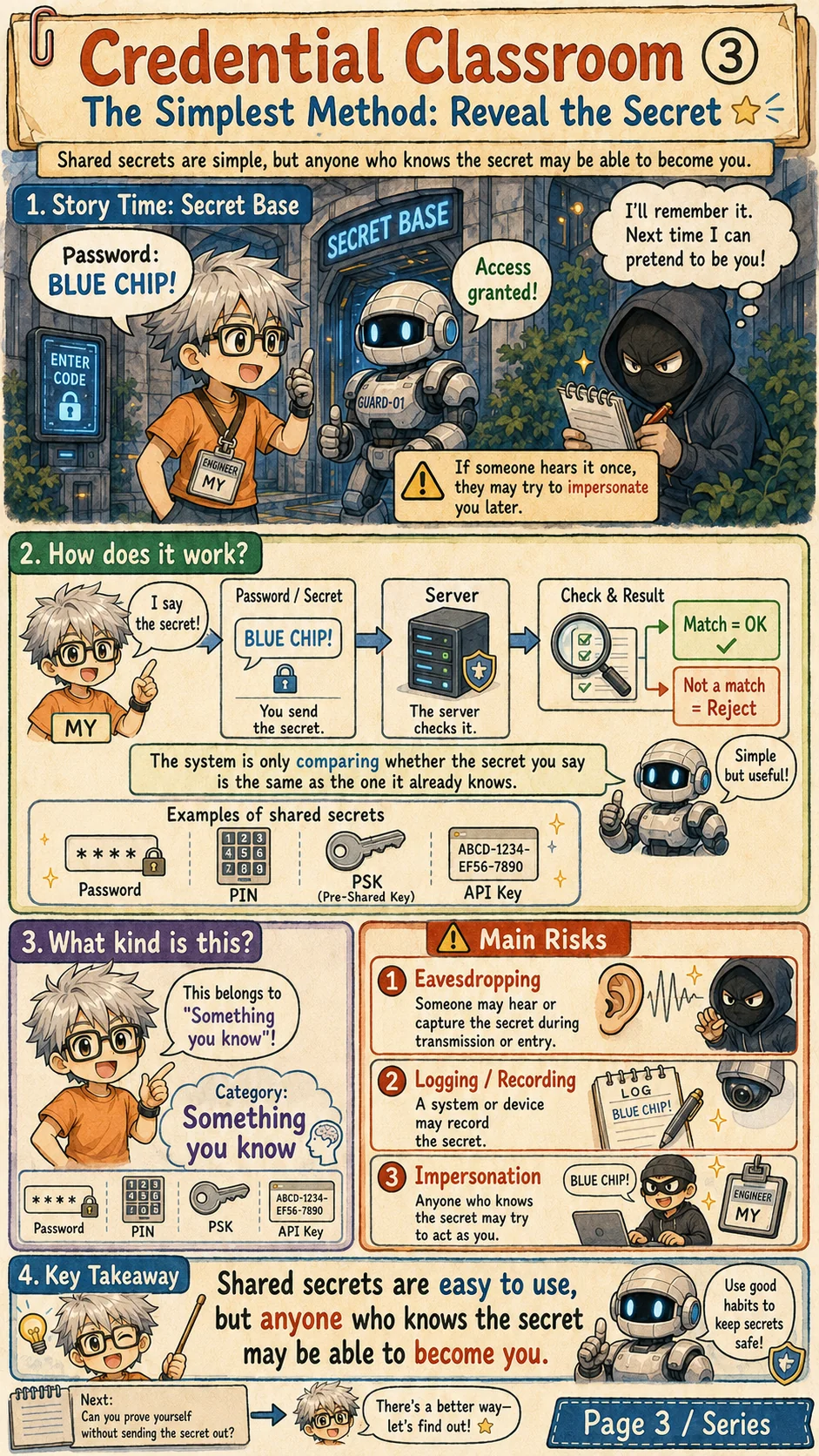
The simplest method is to reveal a secret. Passwords, PINs, pre-shared keys, and many API keys use this idea: if you know the secret, the system treats you as the right party.
The risk is also simple. If someone hears the secret, records it, steals it from a log, phishes it, or finds it in a leaked database, they may be able to act as you. A shared secret works only as long as it stays secret.
Password login must address those exposure paths. Asking users to choose a more complex string is not enough. Phishing-resistant authenticators can reduce the risk of handing a reusable secret to a false service; guarantees still depend on the protocol, device protection and account recovery. Choose authentication for the system's risks.
Challenge-response proves the secret without sending it
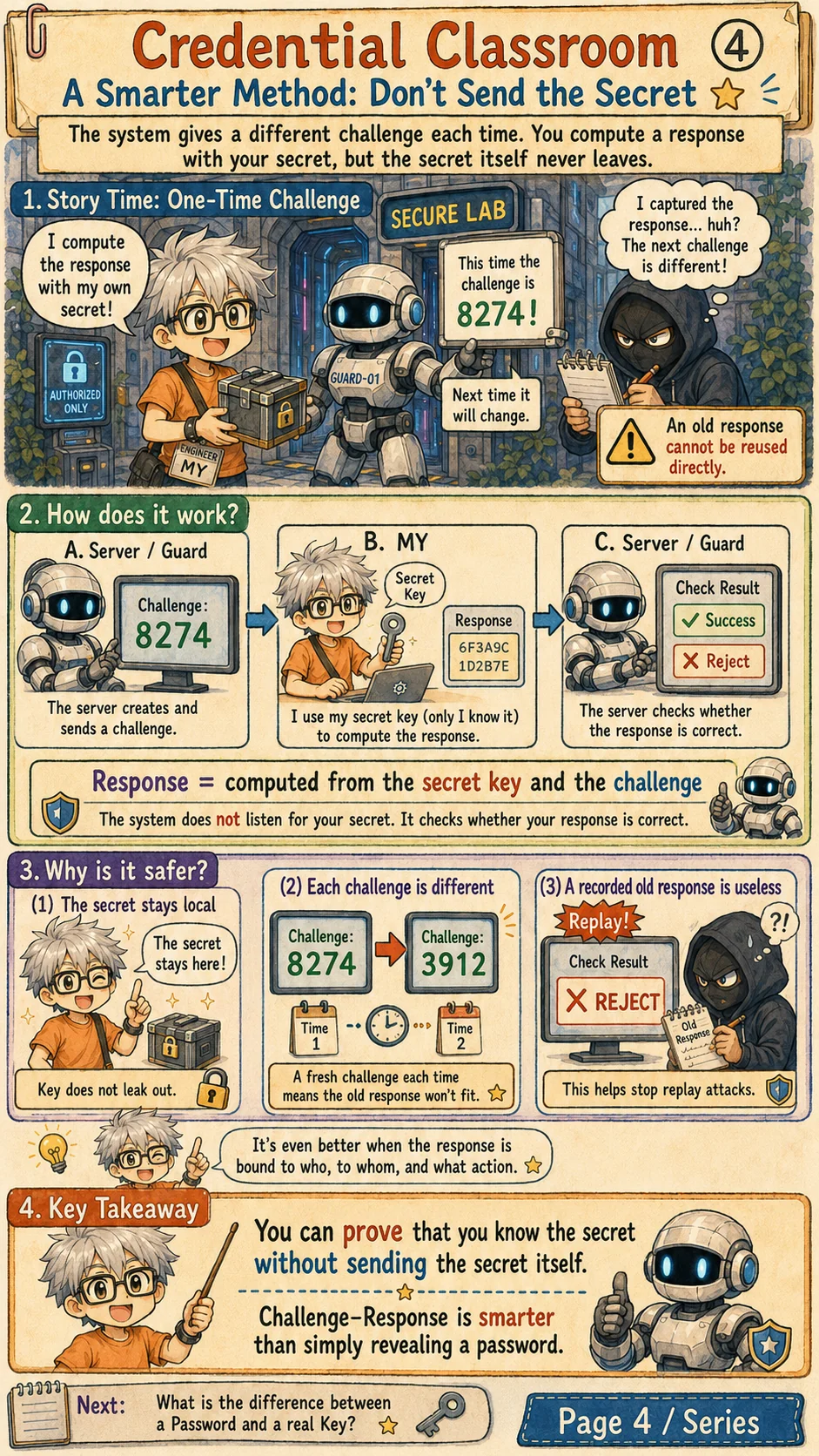
In challenge-response, the verifier sends a fresh challenge, such as a sufficiently long, unpredictable nonce. The device computes a response with its secret. The verifier checks the response against this challenge; the secret stays in the device.
An old response cannot answer a new challenge unchanged when the verifier actually generates fresh challenges and checks their binding to the service and protocol context. A single-use flow must also track consumed challenges. Naming a field nonce provides no guarantee if the value repeats or the check is missing.
The verifier learns whether the peer can produce an acceptable response for the specified context. Private-key authentication, passkeys and device authentication use this idea with different bindings and assumptions. The service must still check operation permission after authentication.
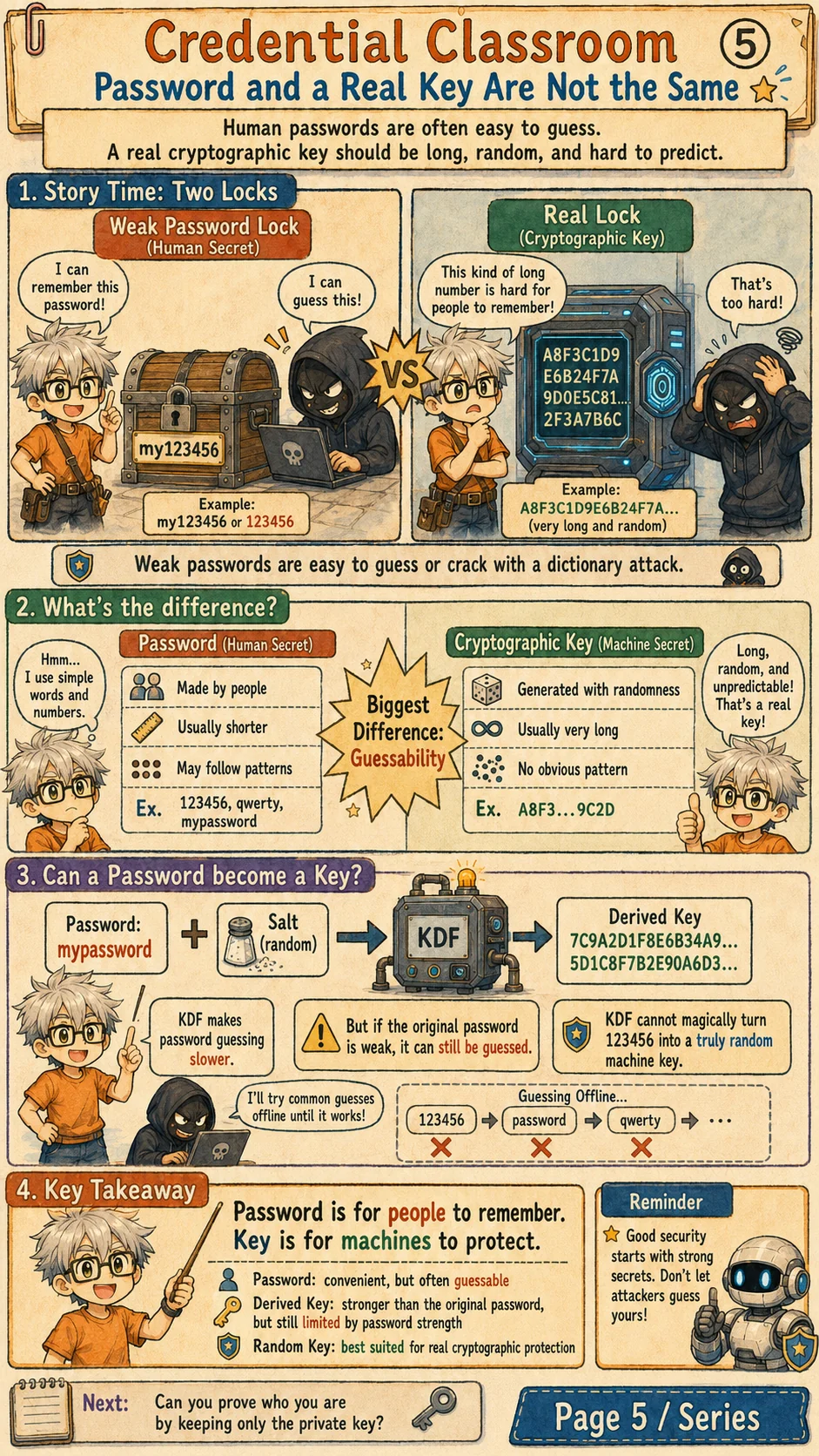
A password and a real cryptographic key are not the same
A password is made for humans. It is usually short enough to remember, so it may follow patterns, get reused, or appear in guessing dictionaries. A cryptographic key is made for machines. It should be long, random, and hard to predict.
A password-appropriate KDF combines the password with a salt and a chosen computational cost to derive verification data or a key. The salt limits precomputation and reuse across accounts; the cost makes each guess more expensive. A fast general-purpose KDF alone does not provide resistance to password guessing.
Those steps do not create entropy that the password lacked. A weak password may still be guessed offline. A random key or protected private key avoids the same human-memorable guessing space, but its storage, use and recovery need protection too.
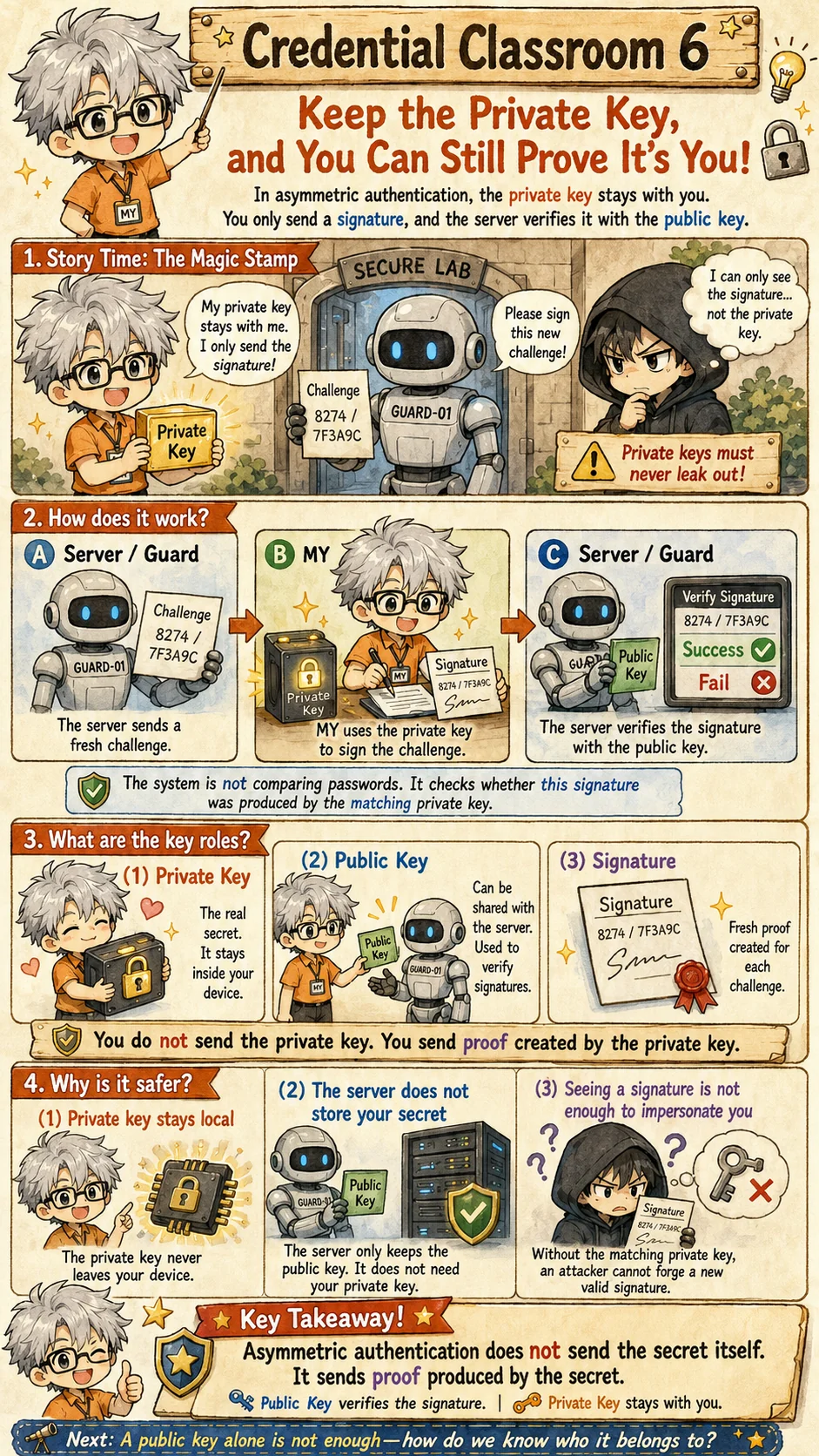
Keep the private key and send a signature
Asymmetric authentication uses a simple rule: the private key stays with you, and the public key can be shared. When the server sends a fresh challenge, your device signs it locally with the private key.
The server verifies with the public key and need not store the private key. With appropriate parameters and a correct implementation, an acceptable signature is evidence that the matching private key was used. It does not independently establish who owns that public key.
A fresh challenge prevents unchanged replay only when the verifier checks it. A stolen private key can still sign, and an untrusted public-key source can make the verifier accept the wrong party. Passkeys and device-authentication protocols supply further context and binding; a signature alone is not the whole protocol.
Passkeys may be device-bound or backed up through protected synchronization to other devices. The verifier does not need the private key, but that does not mean every passkey's private key stays forever in one hardware device. Synchronization, backup and account recovery create additional protection boundaries.
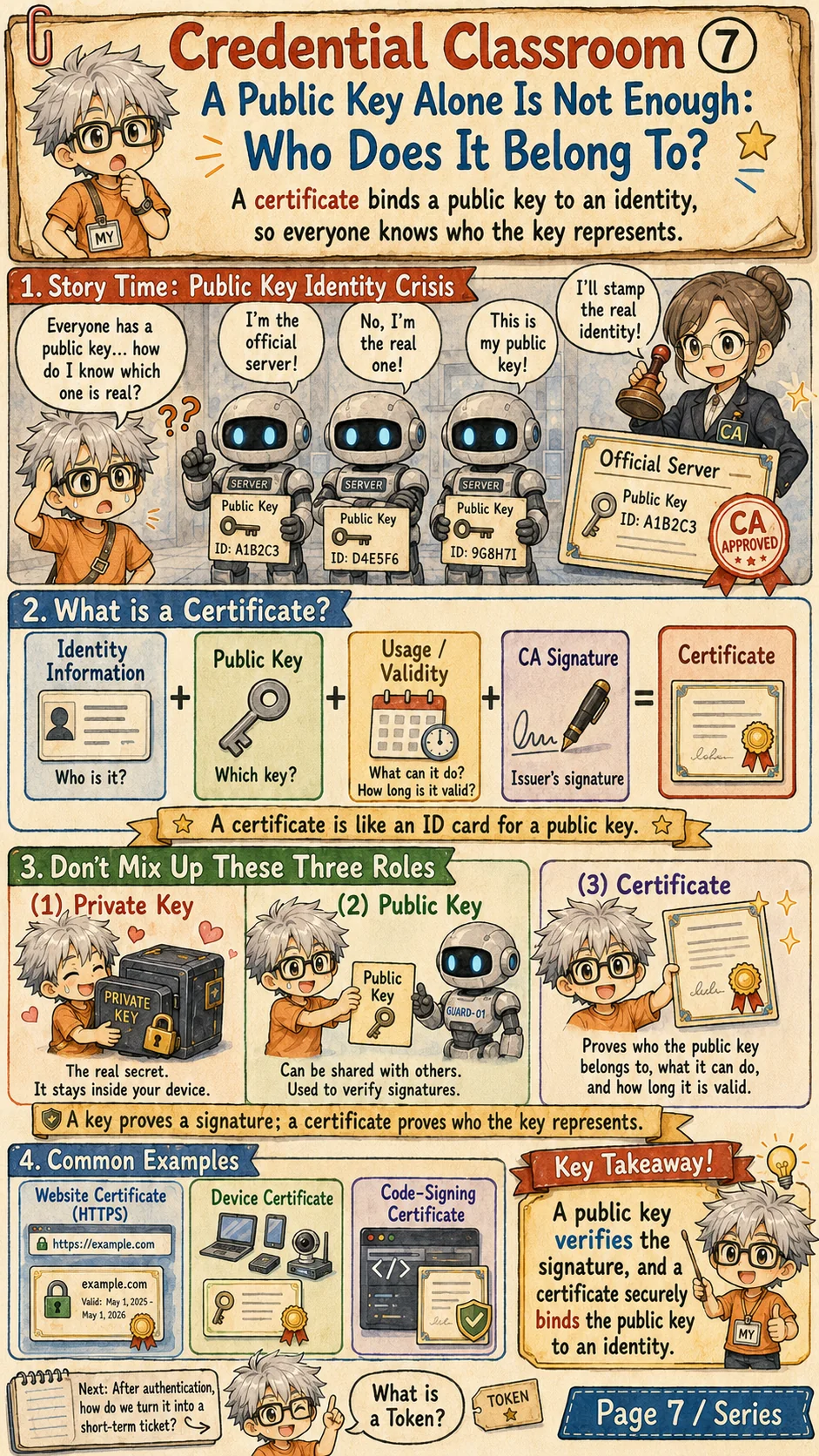
A certificate says who a public key belongs to
A public key can verify a signature, but a bare public key does not tell you whose key it is. A certificate fills that gap by binding identity information, a public key, allowed uses, validity dates, and an issuer's signature.
The issuer is often a certificate authority, or CA. The verifier must validate a path to a locally accepted trust anchor and apply name, time, purpose and other policy checks. Revocation behavior depends on the platform and policy; do not assume every browser queries every revocation source. A valid signature cannot authorize the wrong service name.
This is the basic idea behind HTTPS certificates, device certificates, and code-signing certificates. The key proves the signature. The certificate tells you who the key represents.
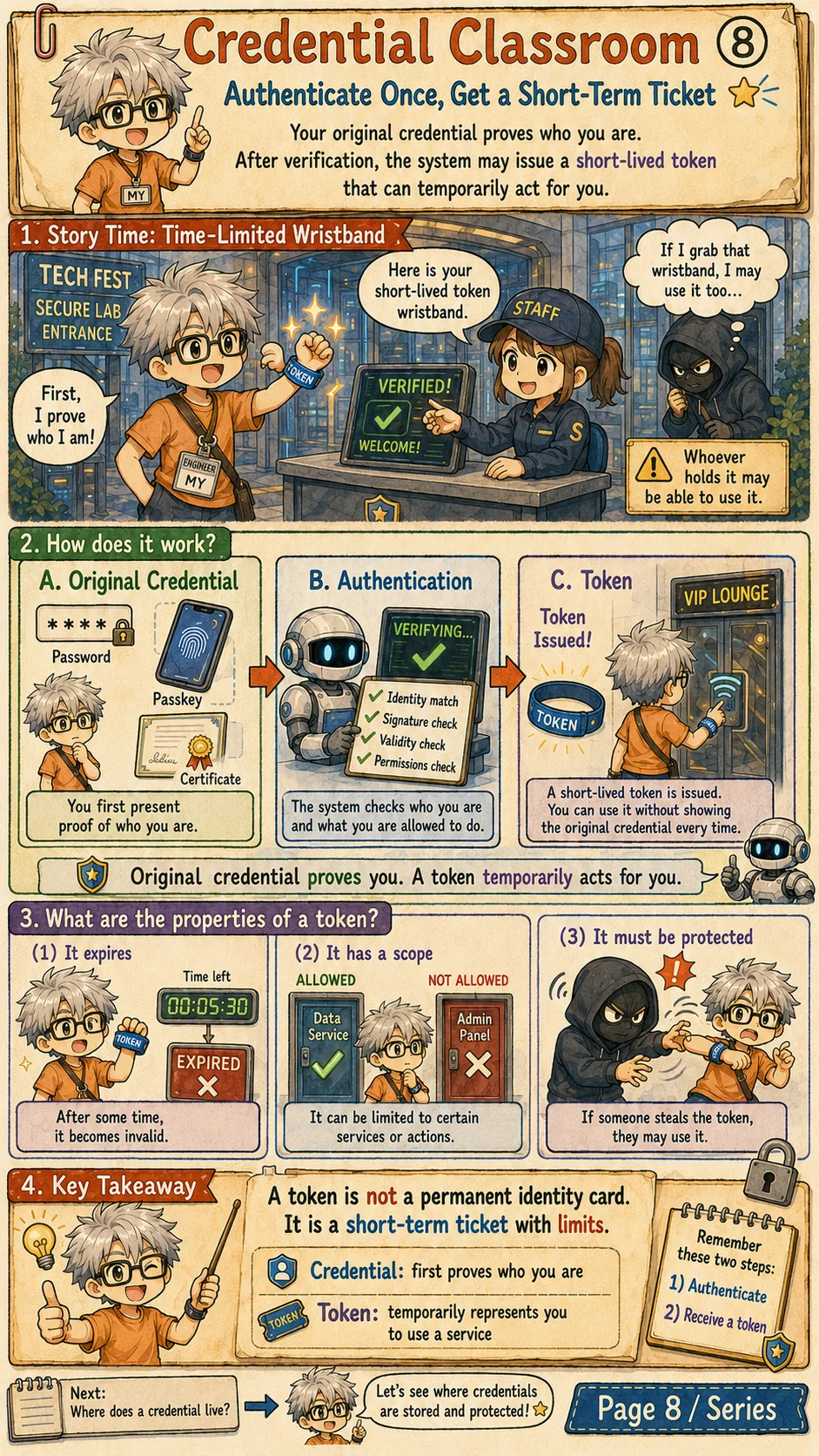
A token is a short-term ticket after authentication
A token usually appears after a stronger proof has already been checked. You first authenticate with a password, passkey, certificate, or other credential. Then the system issues a token that can temporarily act for you.
The issuer and service can restrict its expiry, audience and scope. OAuth access tokens, session cookies and JWTs may appear in this path, but their roles and verification differ. Expiry, rotation and revocation need implementation; a self-contained JWT does not automatically support immediate revocation.
The danger is that many tokens are bearer tokens: whoever holds the token can use it. That is why tokens need HTTPS, careful storage, expiration, rotation, revocation, and least-privilege scope.
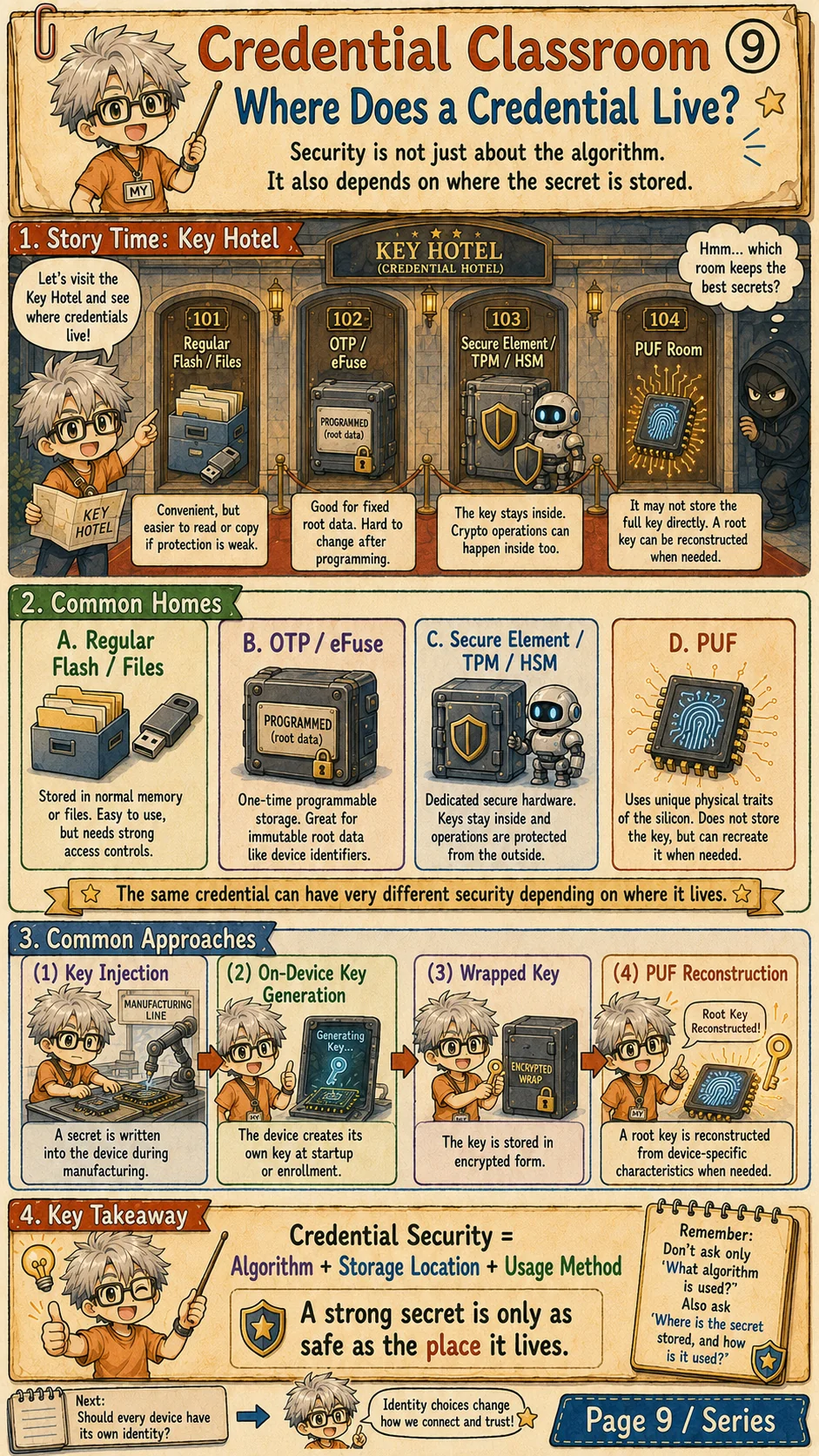
Where the credential lives changes the risk
Security is not only about which algorithm you use. It also depends on where the secret lives. A key in a normal file is convenient, but weak permissions, malware, backups, or logs may expose it.
OTP and eFuse can hold fixed root data. Secure elements, TPMs, and HSMs try to keep keys and cryptographic operations inside a protected boundary. A PUF can derive a root key from device-specific physical behavior instead of simply storing the full key as static data.
When reviewing a credential design, ask practical storage questions: where is the key generated, can it be exported, where is it used, who can copy it, how is it rotated, and what happens if the device is lost or compromised?
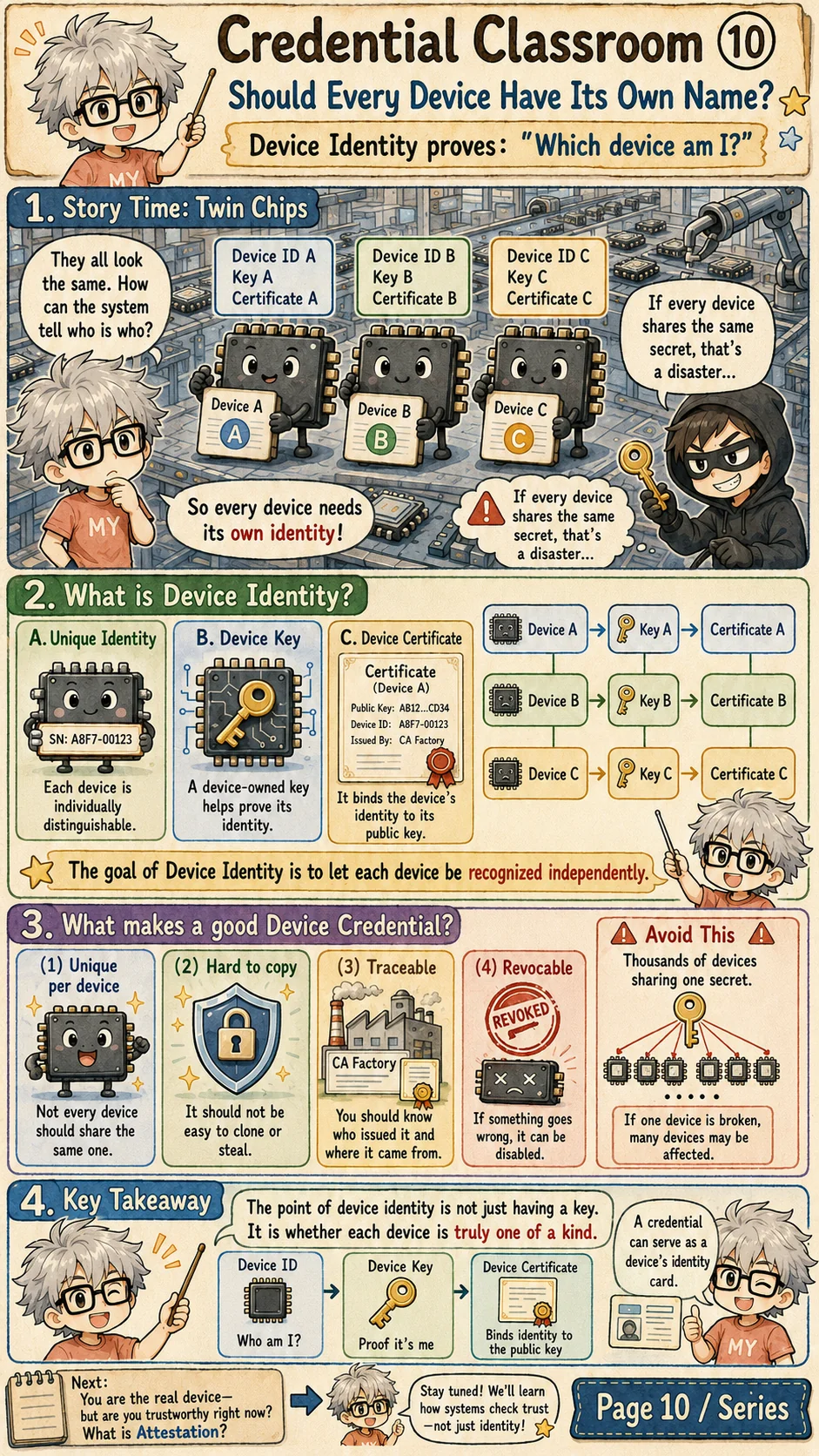
Device identity gives every device its own name
People need identity, and devices do too. Device identity answers a basic question: which exact device is this? A good design often combines a unique device ID, a device key, and a device certificate.
If thousands of devices share the same secret, one broken device can put the whole fleet at risk. Each device should have its own credential so it can be recognized, traced, rotated, or revoked independently.
This matters for IoT, secure accessories, industrial systems, automotive electronics, and edge devices. A service may need to know not only which user logged in, but which device is making the request.
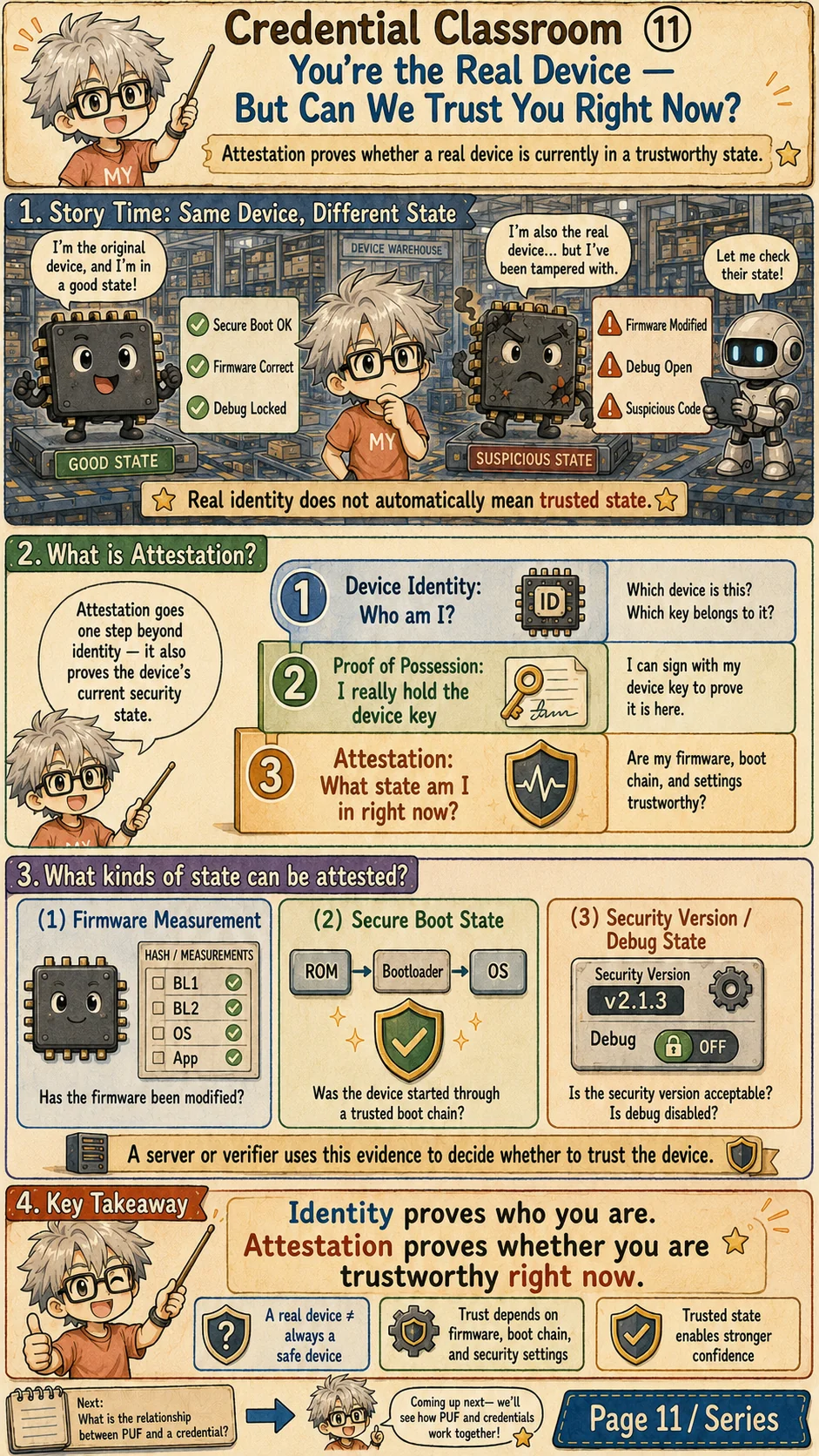
Attestation checks whether the device is trustworthy now
Device identity says, 'This is the real device.' Attestation asks a second question: 'Is this real device in a trustworthy state right now?' Those are not the same thing.
A genuine device may still be risky if its firmware was modified, debug mode is open, the secure-boot chain is broken, or the security version was rolled back. Attestation packages evidence about that current state so a verifier can make a trust decision.
Evidence may include firmware measurements, secure-boot state, security version, debug state and configuration. The verifier needs a trusted evidence path, freshness, references and policy. A fresh nonce binds the response; it does not prove that every measurement was just collected or freeze later runtime state. Identity and state evidence still do not replace authorization.
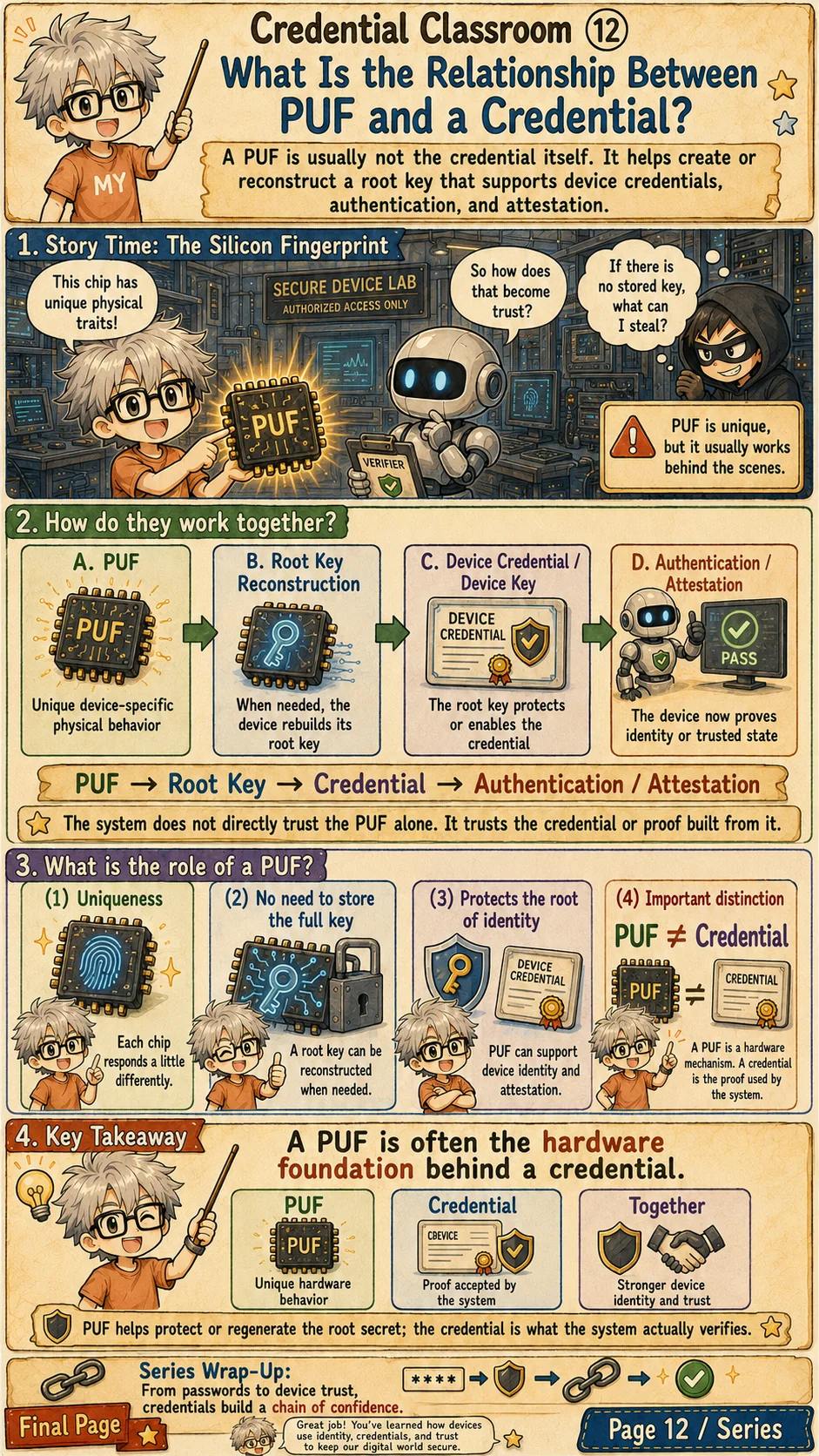
A PUF can support credentials; their use still needs policy
A credential may be a password, passkey, token, private key, certificate or device credential. Each supports a claim that the system must check. The original credential, a delegated token, a public-key identity binding and state evidence have different jobs.
A PUF can support reconstruction or protection of root material behind a device credential. The service ordinarily verifies a derived key proof, certificate or attestation evidence, rather than trusting a physical source by name. Root protection does not remove the verification and policy checks.
Back at the door, the guard must know who issued the proof, how to check it and how to revoke or replace it after loss. Protect secrets, choose expiry and renewal for the credential type, and grant only the requested scope. These rules must operate in the real verification and access path.
References
- NIST SP 800-63B: Authentication and Authenticator Management: Digital identity guidance for authenticators, lifecycle management, replay resistance, and phishing-resistant authentication.
- OWASP Authentication Cheat Sheet: Practical web-application guidance for authentication, password handling, MFA, and credential recovery.
- OWASP Session Management Cheat Sheet: Practical guidance on session identifiers, cookies, expiration, renewal, and session fixation risks.
- RFC 6749: The OAuth 2.0 Authorization Framework: Foundation for delegated authorization and access-token based flows.
- RFC 6750: Bearer Token Usage: Defines bearer-token usage and the risk that possession of the token is enough to use it.
- RFC 7519: JSON Web Token (JWT): Reference for JWT claims, signing, and compact token representation.
- RFC 5280: X.509 Public Key Infrastructure Certificate Profile: Reference for certificate fields, public-key binding, validity, and certificate path validation.
- W3C WebAuthn Level 3: Standard API for public-key credentials used by passkeys and hardware-backed authentication.
- FIDO Alliance: Passkeys: Industry explanation of passkeys and FIDO public-key authentication.
- RFC 9334: RATS Architecture: Architecture for remote attestation, evidence, endorsements, verifiers, and relying parties.
Does a valid proof grant access?
Run a normal login, then remove only the operation permission. Next replay a captured response: its MAC remains valid, but the new challenge differs. Change the service name and compare content binding with freshness.
The browser generates random nonces and computes HMAC-SHA-256. Both parties share an ephemeral classroom key in this page. This is not a passkey, WebAuthn or a complete login protocol. Service binding, a single challenge and authorization illustrate one explicit flow. Each load starts a new experiment. Use no secrets.